

A built-in desk unit is a custom-fitted desk and storage system built directly into a wall, alcove, or closet, with cabinetry scribed to match the room. Floating shelf desks and basic nooks are reasonable DIY projects for anyone comfortable with a level and a stud finder. Full cabinetry with drawers, electrical work, and a finished, seamless look usually calls for a professional installer.
TL;DR:
Built-in desks are best suited for small or irregularly shaped rooms where they maximize space by fitting into alcoves, closets, or corners.
Materials like plywood and MDF are cost-effective options that resist warping and moisture better than solid wood, especially for frequent contact surfaces.
Incorporating features like deep filing drawers, built-in charging, and ventilation for printers helps prevent clutter and ongoing maintenance issues.
Precise measurements, proper electrical planning, and professional installation are critical to avoid gaps, uneven surfaces, and electrical hazards.
Full custom builds generally cost several thousand dollars but offer durability, perfect fit, and a long-term value that DIY or stock solutions cannot match.
Table of Contents
Built-In Desk Unit Ideas for Every Room
Built-in desks work best when the style matches how the space actually gets used, not just how it looks in a photo. Small or oddly shaped rooms benefit the most, since a fitted unit turns dead space into a workstation without eating into the room’s usable footprint, which is why designers keep coming back to closet conversions and alcove nooks as go-to fixes for awkward corners and underused space.
Popular configurations include:
-
Closet-to-desk conversion: pulls the doors off an existing reach-in closet and replaces the hanging rod with a desktop, shelving, and drawers, ideal for apartments or guest rooms doing double duty.
-
Alcove desk: fits a recessed wall section between two closets or a fireplace and bookcase, using the existing framing as built-in sides.
-
Wall-to-wall built-in: runs a full run of cabinetry across one wall, combining desk space with bookshelves or display cabinets on either side.
-
Floating shelf desk: a minimalist option using a wall-mounted slab and floating shelves above, best for renters or anyone wanting a lighter, modern look.
-
L-shaped dual workstation: wraps two work surfaces around a corner for shared home offices or households with two remote workers.
-
Library-style with rolling ladder: pairs a desk with floor-to-ceiling shelving and a ladder track, a statement piece for larger studies.
Match finish to the room’s existing trim and cabinetry wherever possible. A painted white built-in blends into traditional homes, while a natural wood grain or matte black hardware fits mid-century and modern interiors better than a stark white box ever will.
Materials and Construction: What Holds Up Over Time
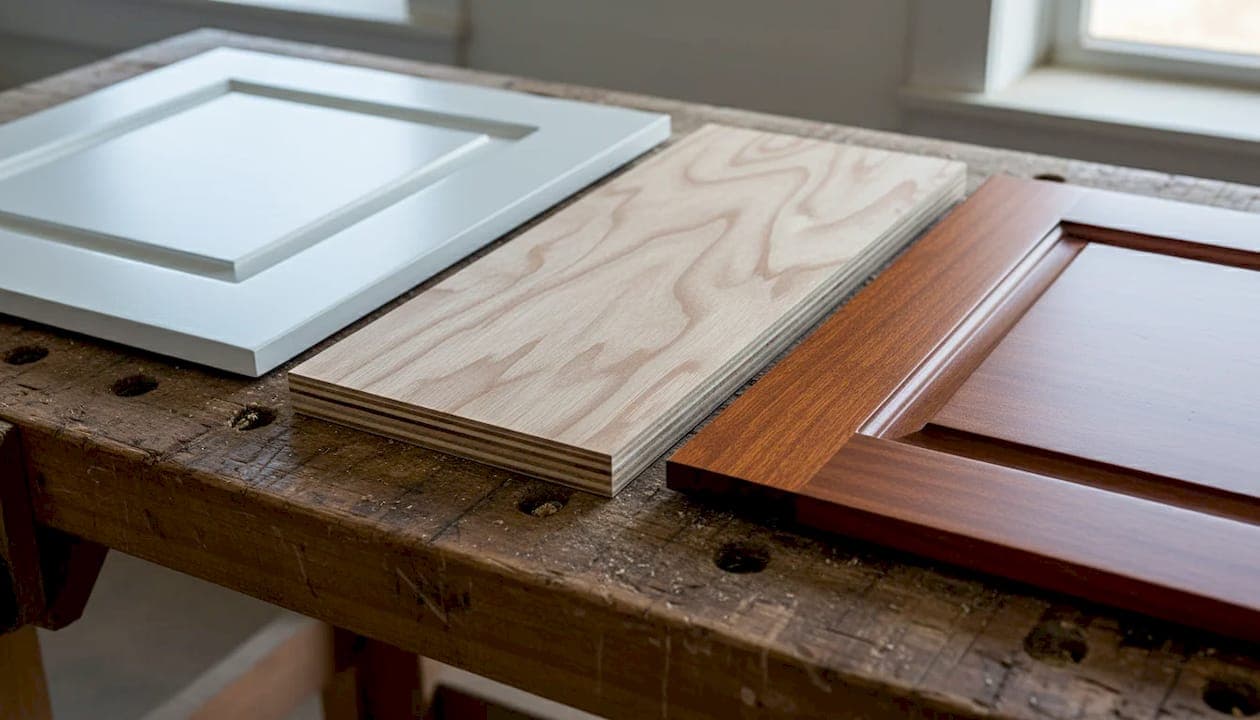
Solid wood offers the best strength and the richest grain, but it costs more and can expand or contract with humidity if it’s not properly sealed. Plywood is the workhorse of built-in construction: strong, stable, and far less prone to warping than solid boards, which is why most professional shops build carcasses from cabinet-grade plywood and reserve solid wood for face frames and edges. MDF takes paint beautifully and costs less, but it doesn’t hold up well to moisture or heavy point loads, so it’s a better fit for vertical panels than desktops that will see daily wear.
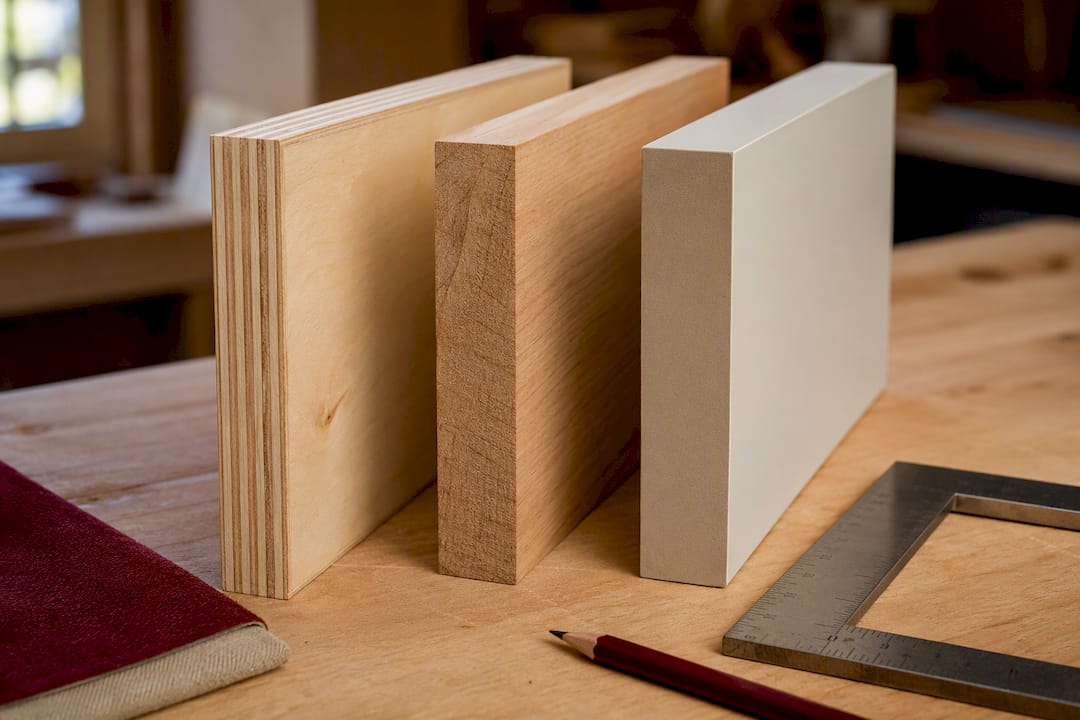
Modular components, like stock cabinet boxes or even repurposed flat-pack drawer units, can cut costs significantly when dressed up with custom trim and a scribed face frame. Professional installers typically build the carcass slightly undersized, then scribe the visible trim to the wall’s actual contours, a technique that closes gaps around uneven walls without heavy caulking.
Before loading up a shelf with gear, check what it can actually hold. Some modular systems publish weight limits as low as 50 pounds per shelf, which matters if you’re stacking a monitor, printer, and reference books on one span.
Pro Tip: Build in a plywood corner brace under any desktop wider than four feet. Even a strong-looking slab will flex over time without hidden support at the midpoint.
Storage Features Worth Building Into Your Desk
The features you build in now save you from awkward workarounds later. A desk that looks great but has nowhere to put a printer or charge a phone turns into cluttered surface space within a month.
Worth including in most builds:
-
Deep filing drawers sized for hanging folders, plus a shallow drawer up top for pens and small supplies.
-
A ventilated printer cabinet with a pull-out shelf rated for the printer’s weight, so you’re not lifting it in and out to change paper.
-
Built-in charging, including a hidden power strip or recessed outlet strip inside a drawer or cabinet, keeping cords off the desktop entirely.
-
Open shelving for display, paired with closed cabinets for anything you’d rather not see, like cables, chargers, or paperwork.
-
Adjustable shelf heights, which matter if kids will use the desk eventually and need lower, accessible storage now.
Printer cabinets deserve extra thought: professionals typically add ventilation and route cables through a back panel so the tray stays accessible without repeatedly uninstalling the machine.
Sizing and Layout: Getting the Ergonomics Right
Standard desk height runs 28 to 30 inches, comfortable for most seated adults using a standard chair. Taller households, or anyone who prefers a standing option, should customize height rather than default to the standard.
Depth matters more than most people expect. A single monitor setup works fine at 20 to 24 inches deep, but dual monitors or a laptop-plus-monitor combo need 24 to 30 inches to avoid feeling cramped. Leave at least 36 inches of clearance behind the chair for pushing back and standing, more if the desk will see a rolling chair with a wide swivel radius.
Before finalizing dimensions, measure the alcove or wall at multiple points, top, middle, and bottom. Walls are rarely perfectly straight, and a desk built to a single measurement often ends up with a visible gap on one side.
Lighting and Electrical Planning Before You Build
Lighting and power are the two things homeowners regret not planning ahead, according to design guides that track common built-in desk mistakes. Once cabinetry is installed, adding an outlet means cutting into a finished surface.
Plan for these before construction starts, not after:
-
Under-shelf LED strips for even task lighting without desktop lamps eating into workspace.
-
Dimmable puck lights inside cabinets or over the main work surface for adjustable brightness.
-
Outlets and USB ports built into the desk’s back panel or side, positioned where cords will actually reach.
-
A cable chase or conduit running from the desktop to the wall outlet, keeping cords out of sight.
Pro Tip: Any project that requires a new circuit or a hardwired fixture needs a licensed electrician, not a DIY workaround. Rough-in electrical work before the cabinetry goes in, since retrofitting wires through finished panels almost always means redoing trim.
What a Built-In Desk Unit Actually Costs
Materials, hardware, finish quality, electrical work, and labor all drive the final price, and the gap between a basic build and a premium one is wide. A DIY project using stock cabinets, a plywood desktop, and simple hardware can land in the low hundreds of dollars for materials alone, assuming you already own basic tools. A mid-range custom build with plywood construction, soft-close drawers, and a painted finish runs considerably higher once labor and finish carpentry get factored in. Full bespoke cabinetry with premium hardwood, integrated lighting, and custom electrical work sits at the top end of the range.
Mixing approaches keeps costs down without sacrificing durability: use stock cabinet boxes for the bulk of the storage, then spend the finish budget on trim, hardware, and a quality desktop surface. Custom built-ins are also frequently framed as a longer-term investment, since a well-fitted unit that maximizes storage and matches the room’s finish tends to hold more value than a freestanding desk that a future buyer might not want.
Installation Checklist: Before and During the Build
Getting the prep work right prevents most of the problems that show up mid-install. Here’s what to confirm before cabinetry goes anywhere near the wall:
-
Measure the space at multiple points (top, middle, bottom) and locate every stud with a stud finder.
-
Check wall material, since plaster, drywall, and masonry all need different anchoring approaches.
-
Gather tools and materials, including a level, drill, pocket-hole jig, clamps, and finish nails for DIY builds.
-
Rough in electrical work before cabinetry installation, not after.
-
Get an itemized quote from any pro, covering materials, labor, and finish separately.
-
Ask about lead time, crew, and warranty before signing anything.
Watch for red flags when hiring: vague lump-sum pricing with no breakdown, no written warranty, or a company that subcontracts installation to a different crew than the one that sold the project.
Keeping a Built-In Desk Looking New for Years
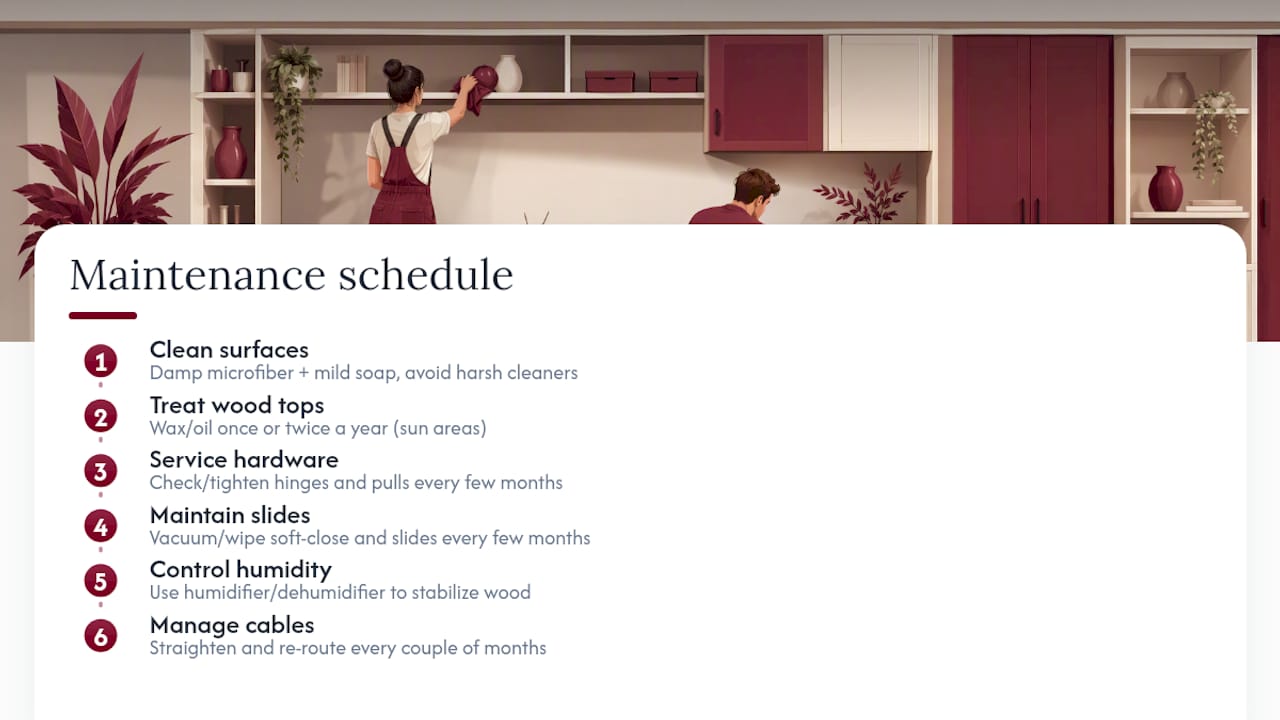
A built-in desk holds up well with basic care, but the finish and hardware need occasional attention to avoid premature wear. Wipe painted or laminate surfaces with a damp microfiber cloth and mild soap rather than harsh cleaners, which can dull the finish over time or strip a painted surface entirely. Wood desktops benefit from a coat of furniture wax or oil once or twice a year, especially on the section that gets the most direct sun exposure, since UV light gradually fades and dries out untreated wood.
Check drawer slides and hinges every few months. Soft-close mechanisms and full-extension slides accumulate dust, and a quick vacuum or wipe-down keeps them gliding smoothly instead of sticking or dragging. Tighten any hardware that’s worked loose, cabinet pulls and hinge screws loosen gradually with daily use, and a loose hinge left unaddressed can eventually crack the surrounding wood.
Keep humidity in mind if your desk uses solid wood components. Wide swings in moisture cause wood to expand and contract, which can eventually crack a finish or loosen a joint that was cut tight. A small humidifier or dehumidifier in especially dry or damp climates helps stabilize conditions around the unit.
Cable management deserves a periodic check too. Even a well-planned chase can get overloaded as you add devices, and cords pulling at odd angles put stress on outlets and connectors that weren’t designed for it. A few minutes of straightening every couple of months keeps both the desk and your electronics working the way they should.
Why We Recommend Hiring for Full Custom Builds
Floating shelves and simple nooks are fair game for a confident DIYer with a weekend to spare. Full cabinetry with integrated storage, electrical work, and a flush, scribed fit against real walls is a different project entirely, and it’s where Classy Closets earns its keep. Every project starts with a 3D design consultation, gets manufactured locally, and is installed by a dedicated installation crew rather than a subcontractor.
That in-house model, backed by itemized pricing and a 10-year workmanship warranty, is why we point homeowners toward a professional the moment a project involves more than a desktop and a couple of shelves. DIY works for simplicity. Pros solve for fit, storage, and durability all at once.
— Gary Pavitt
Get a Custom Home Office Built-In Without the Guesswork of DIY
If you’ve read this far and you’re picturing electrical rework, uneven walls, or a cabinet box that never quite sits flush, that’s exactly the kind of problem a professional installer can solve. Instead of piecing together stock cabinets and hoping the trim hides the gaps, you get a 3D design built around your exact wall measurements, manufactured locally, and installed by a professional installation crew rather than a subcontractor.

Every quote is itemized before work starts, so you know what you’re paying for materials, hardware, and labor separately, and many projects come with a workmanship warranty. Consultations are free, and the process starts with a visit to measure your space and talk through layout, storage, and finish options for your home office built-in. Browse finished projects in the San Diego closets gallery or request your custom closet quote to get a firm price and timeline for your own built-in desk.
Sources
-
Branch-2 Multi Storage Unit with Desk, by Gus Modern - Grounded
-
Bespoke Fitted Home Office Furniture – Modern and Functional
FAQ
Is it cheaper to build or buy a desk?
Buying a basic freestanding desk is almost always cheaper upfront than a built-in, but a DIY built-in using stock cabinets and simple trim can come close in cost while adding custom storage a store-bought desk can’t match.
How much does a built-in desk cost?
Costs vary widely based on materials, electrical work, and finish, ranging from a few hundred dollars for a basic DIY build to several thousand for a fully custom, professionally installed unit; Classy Closets provides itemized, project-specific quotes rather than a flat rate.
Where can I buy a desk already built?
Freestanding desks are widely available from furniture retailers, but a true built-in desk unit, one scribed and fitted to your exact wall and space, has to be custom-built or professionally installed rather than bought off the shelf.
Which desk does Donald Trump use?
The Resolute Desk, a historic antique used by multiple US presidents in the Oval Office, is not a built-in unit and isn’t relevant to a home built-in desk project.


